Packaging
Packaging into an executable
The project takes advantage of PyInstaller to package the application into an executable.
The output binary and all embedded dependencies is located into a subfolder named dist: dist/{operating_system}_QGISDeploymentToolbelt_{version}, where operating system is one of MacOS, Ubuntuor Windows. A file named build_environment_report.txt containing build environment information is generated at the project’s root.
Note
Since version 0.47, official executables ship dulwich without its optional Rust extensions to prefer pure Python implementation to avoid unsigned native binary.
Memo:
PIP_NO_BINARYmakes pip build dulwich from sourcePUREtells its build to skip the Rust extensions, which would otherwise be compiled if a Rust toolchain is available.
Windows
Comply with Windows development requirements before to run following commands in your virtual environment:
# Install packaging dependencies (dulwich without its Rust extensions, as in CI)
$env:PIP_NO_BINARY = "dulwich"; $env:PURE = "1"
python -m pip install -U -e .[packaging]

# Generates MS Version Info
python .\builder\version_info_templater.py

# Generates MS Executable
python -O .\builder\pyinstaller_build_windows.py
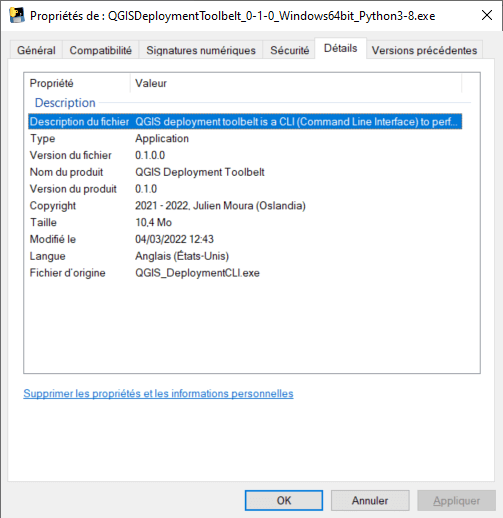
To run it, double-click on the executable file (*.exe) located into dist folder or run it from your PowerShell terminal.
Ubuntu
Comply with Ubuntu development requirements before to run following commands in your virtual environment:
# Install packaging dependencies (dulwich without its Rust extensions, as in CI)
PIP_NO_BINARY=dulwich PURE=1 python -m pip install -U -e .[packaging]

# Generates binary executable
python -O ./builder/pyinstaller_build_ubuntu.py
# make it runnable
chmod +x dist/QGISDeploymentToolbelt_*
To run it, for example:
./dist/QGISDeploymentToolbelt_0-26-0
Docker
Requirements
Docker >= 23
Docker BuildKit
Build locally
Note
The published image is intended for running QDT, not for development. So, it does not contain side code: docs, tests, etc.
If you need that, edit the .dockerignore file.
docker build --pull --rm -f "Dockerfile" -t qdt:local "."
Run within the container
Enter into the container and run commands interactively::
> docker run --rm -it --entrypoint bash qdt:local
root@55c5de0191ee:/user/app# qdt --version
0.42.0-dev
Run QDT directly from the container:
> docker run --rm qdt:local --version
0.42.0-dev